Appearance
Akamai Security Events Integration
Configuring Akamai integration for Realm Security
Realm supports two methods to collect Akamai Security events:
- Using the SIEM CEF Connector
- Periodically polling the Akamai SIEM Integration API directly.
Either approach works well. Please use the approach that fits well within your network topology and deployment.
1. SIEM CEF Connector
Realm Security receives Akamai Security Events via the SIEM CEF Connector. 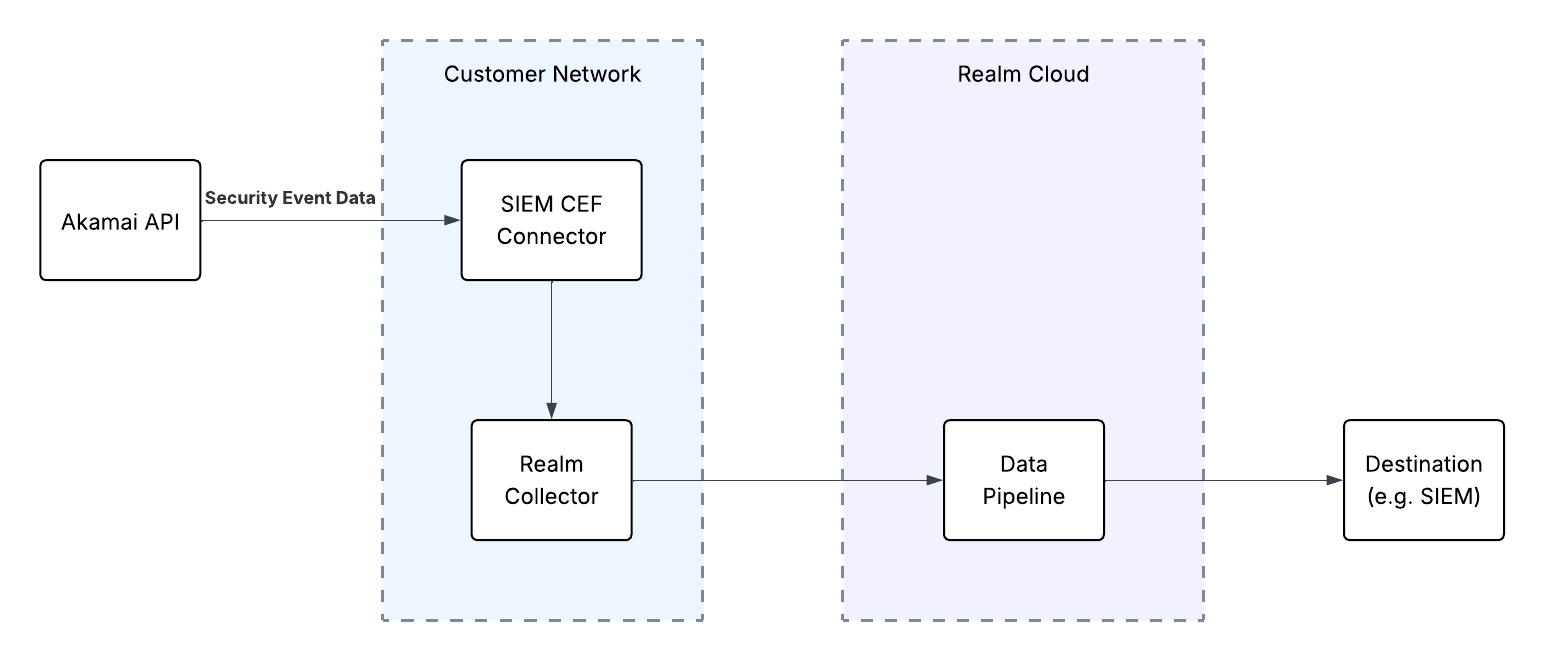
Prerequisites
- Administrative access to the Akamai Control Center
- SIEM Integration turned on for your Akamai instance. Read more in the Akamai SIEM Integration Documentation
- Take note of the desired Configuration IDs you want data from
Realm Console
- Create a new Akamai ASEC CEF Source.
- Either create a new collector, or use an existing one.
- Create a new Stream to that collector using the Akamai CEF product format and select
Octet Countingfor the Framing. - Follow the Realm Collector install guide to set up and install the collector.
- Take note of the FQDN or IP address of the collector instance, as well as the port.
Akamai Control Center: Configure Akamai SIEM CEF log forwarding
You can see more options on how to configure logging in the Akamai SIEM CEF Connector logging docs.
- Set CEFHost to the IP or FQDN of the Collector installation configured previously.
- Set CEFPort to the correct port of the Realm Collector Syslog Stream.
- Set CEFProtocol to
TCP. - Install the CEF connector on the desired server following the Akamai documentation to Install the CEF connector.
2. Akamai SIEM Integration API
Realm Security collects Security Events via the Akamai SIEM Integration API. 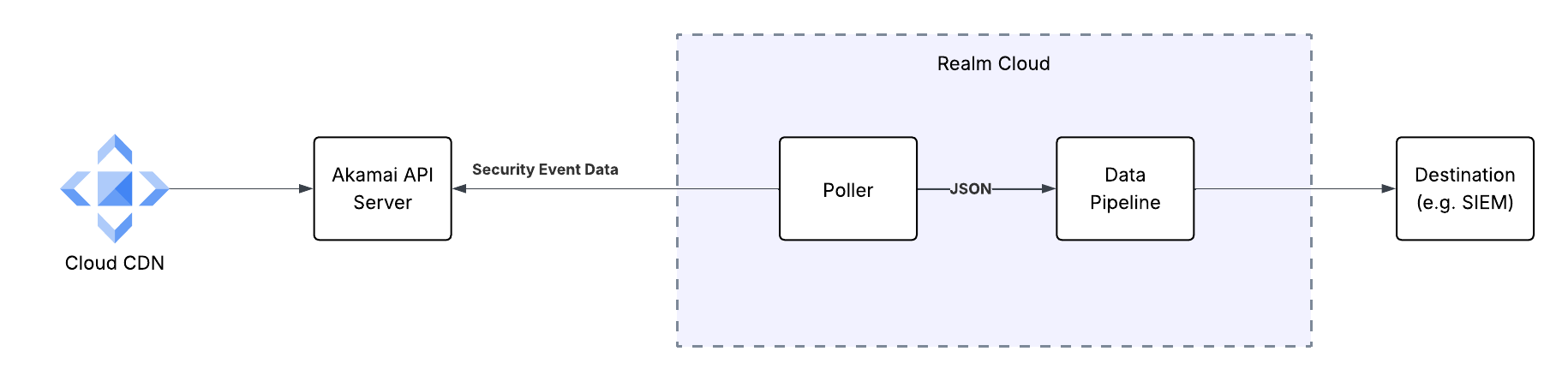
Prerequisites
- An Akamai Client Token, Client Secret, and Access Token for authenticating to the Akamai SIEM Integration API. Instructions for setting up an API client can be seen in the Akamai Edgegrid Documentation
- SIEM Integration turned on for your Akamai instance. Read more in the Akamai SIEM Integration Documentation
- Take note of the desired Configuration IDs you want data from
- Take note of the Hostname of your Akamai instance
Realm Console
- Create a new Akamai ASEC source.
- Create an input feed on the source with the Akamai ASEC transport method and fill in the Host, Client Token, Client Secret, Access Token, Configuration IDs, and Limit.