Appearance
GitHub Audit Logs Integration
Send GitHub Enterprise Audit Logs to Realm
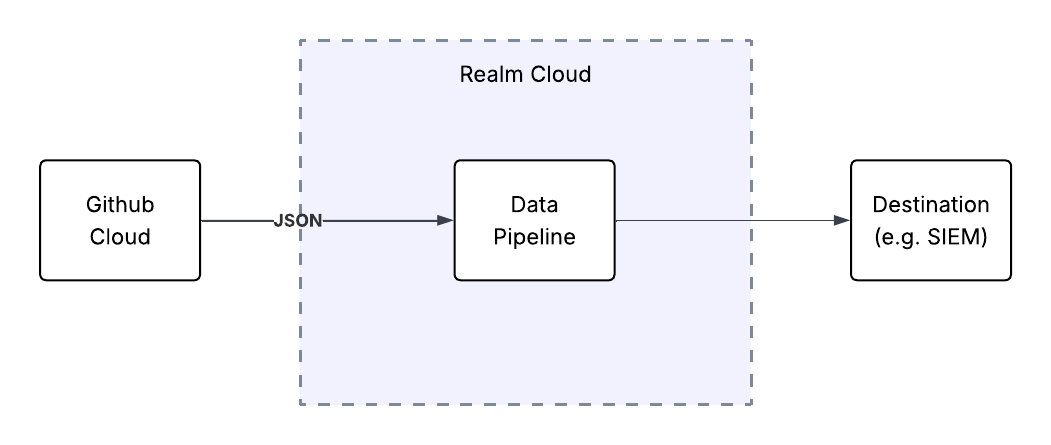
This guide walks you through streaming GitHub Enterprise audit logs to Realm. The integration uses GitHub's native audit log streaming feature — GitHub pushes audit and Git events for every organization in your enterprise to a Splunk HEC input feed exposed by Realm, which then forwards the events through your data pipeline to your configured destination.
Note: This documentation walks through setting up a Splunk HEC webhook mechanism in Github to receive data from Realm. If you prefer to use another method(e.g. S3, GCS, Azure Blob), see https://docs.github.com/en/enterprise-cloud@latest/admin/monitoring-activity-in-your-enterprise/reviewing-audit-logs-for-your-enterprise/streaming-the-audit-log-for-your-enterprise#setting-up-audit-log-streaming
Prerequisites
- A GitHub Enterprise Cloud plan. Audit log streaming is only available on the Enterprise plan.
- Enterprise owner access to your GitHub enterprise account.
- Access to the Realm Security console.
1. Realm: Create a Splunk HEC Input Feed
Log in to the Realm Security console.
Create a new Source for GitHub:
Format:
Github Audit LogsAdd a new Input Feed to the source. Select Splunk HEC as the input feed type and save.
After the input feed is created, take note of the following values displayed in the Realm console — you will provide these to GitHub in the next section:
HTTP URL: the domain Realm exposes for the HEC input feed (for example,
https://<your-tenant>.hec.ingest.realmsec.net)
Port: the port on which Realm accepts HEC traffic (typically443)
Token: the HEC authentication token Realm generated for this input feed
Important: Copy and save the token, URL, and Port, you will need them when configuring the github audit log stream
2. GitHub: Configure Audit Log Streaming to Splunk
Navigate to your enterprise. For example, from the Enterprises page on GitHub.com.
At the top of the page, click Settings.
Under Settings, click Audit log.
Under Audit log, click Log streaming.
Select the Configure stream dropdown and click Splunk.
On the configuration page, enter the values from the Realm console:
Domain: the HTTP URL of the Realm HEC input feed (without the
https://scheme — for example,<your-tenant>.hec.ingest.realmsec.net)
Port: the port from the Realm console (typically443)
Token: the HEC token from the Realm consoleLeave the Enable SSL verification check box selected. Realm's HEC endpoint is served over HTTPS with a valid certificate, and SSL verification helps ensure events are delivered securely.
Click Check endpoint to verify that GitHub can connect and write to the Realm HEC endpoint.
After the endpoint is verified, click Save.
Once saved, GitHub will begin streaming audit and Git events for every organization in your enterprise to Realm. GitHub validates the HEC endpoint via <Domain>:<port>/services/collector and runs a health check on the stream every 24 hours.
Note: GitHub uses an at-least-once delivery method, so some events may be duplicated. For full details on GitHub's streaming behavior, retention buffer, and health checks, see Streaming the audit log for your enterprise in the GitHub documentation.
Troubleshooting
If audit log events are not arriving in Realm:
- In GitHub, click Check endpoint on the stream configuration page to re-verify connectivity. A misconfigured stream must be fixed within six days or events will start to be dropped.
- Confirm that the Domain, Port, and Token entered in GitHub exactly match the values shown for the Splunk HEC input feed in the Realm console.
- If your Realm tenant requires IP allowlisting, contact Realm support for the GitHub egress IP ranges. GitHub publishes the list under the
hookskey in its meta API endpoint.