Appearance
Fastly Next-Gen WAF Integration
Send Fastly Next-Gen WAF Request Logs to Realm
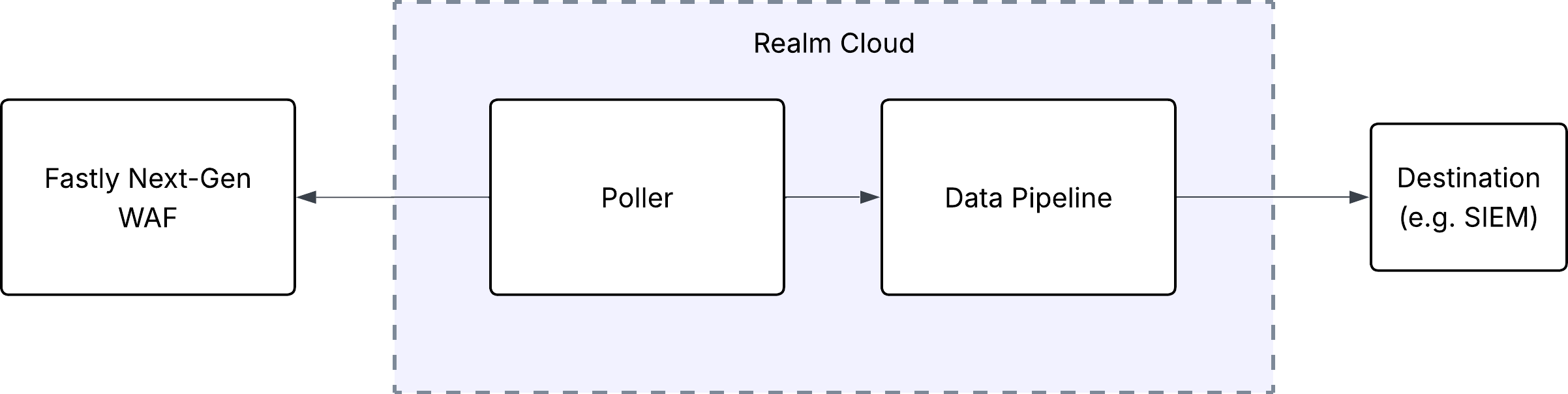
This guide walks you through connecting the Fastly Next-Gen WAF to Realm. The integration uses a polling-based approach. Realm Cloud periodically queries the Fastly Next-Gen WAF request feed API for request logs that contain attacks and anomalies, then forwards them through your data pipeline to your configured destination.
Prerequisites
- An active Fastly Next-Gen WAF account with access to the Next-Gen WAF control panel.
- A user account with permission to create API access tokens.
- Access to the Realm Security console.
- The corp short-name and one or more site (workspace) short-names you want to collect from.
Note: Realm collects request data through the Fastly Next-Gen WAF request feed API. This endpoint returns request logs that contain attacks and anomalies. Fastly retains request log data for up to 7 days, depending on your entitlements.
Find your Corp and Site names
The corp and site short-names are URL slugs that appear in the control panel address.
- Log in to the Next-Gen WAF control panel.
- Select a workspace (site).
- Read the short-names from the address bar. The URL has the form
https://dashboard.signalsciences.net/corps/<corp>/sites/<site>. - Note the corp value and each site value you want Realm to collect from.
Generate an API Access Token in Fastly
The Fastly Next-Gen WAF authenticates API requests with the account email and an API access token.
- Log in to the Next-Gen WAF control panel.
- Click your name in the top-right corner, then select My Profile.
- Select the API access tokens tab.
- Click Add API access token.
- Enter a name for the token.
- Click Create API access token.
Important: Copy and save the API access token immediately. You cannot view it again after you leave this page. You will need this token, and the email of the user that owns it, when you configure the integration in Realm.
Note: For more details, refer to the Fastly Next-Gen WAF data extraction documentation.
Configure the Integration in Realm
- Create a new Source.
Name:
Fastly Next-Gen WAF
Format:Fastly Next-Gen WAF - Add a new Input feed.
Type:
Fastly Next-Gen WAF
Email:<email of the user that owns the API access token>
Access Token:<your Fastly Next-Gen WAF API access token>
Corp:<your corp short-name>
Sites:<one or more site short-names, e.g. site1, site2>
Once saved, the Realm poller will begin retrieving request logs from the Fastly Next-Gen WAF request feed API at regular intervals. The data is converted to JSON and forwarded through your data pipeline to your configured destination (e.g., SIEM).