Appearance
Akamai Security Events Integration
Configuring Akamai integration for Realm Security
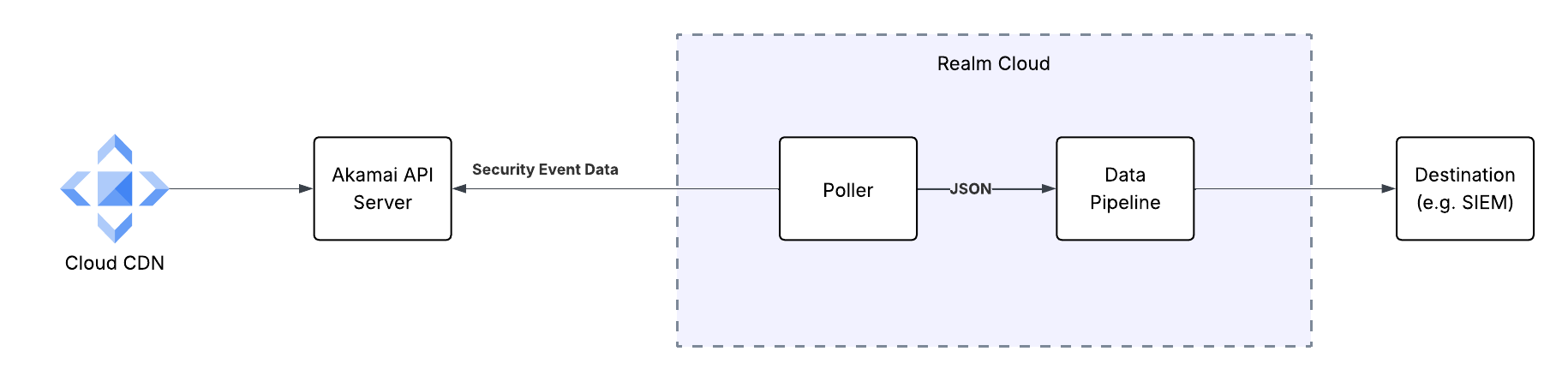
Realm Security collects Akamai Security Events by periodically polling the Akamai SIEM Integration API directly.
Note: If you'd rather forward events through the Akamai SIEM CEF Connector and a Realm Collector, see the Akamai ASEC CEF Integration guide instead.
Prerequisites
- An Akamai Client Token, Client Secret, and Access Token for authenticating to the Akamai SIEM Integration API. Instructions for setting up an API client can be seen in the Akamai Edgegrid Documentation
- SIEM Integration turned on for your Akamai instance. Read more in the Akamai SIEM Integration Documentation
- Take note of the desired Configuration IDs you want data from
- Take note of the Hostname of your Akamai instance
Realm Console
- Create a new Akamai ASEC source.
- Create an input feed on the source with the Akamai ASEC transport method and fill in the Host, Client Token, Client Secret, Access Token, Configuration IDs, and Limit.